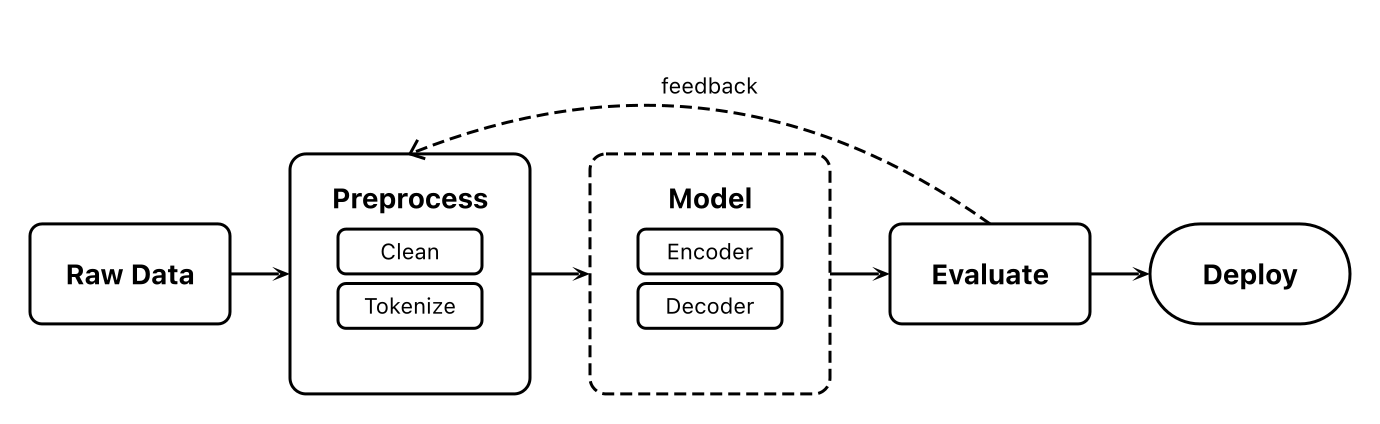
三步画出第一张图
1
创建 flowchart.ts
import { Figure } from 'figcraft'

const fig = new Figure(800, 350, { bg: '#fff' })

const data = fig.rect('Raw Data', {
  size: [100, 50], fill: 'none', radius: 6,
  color: '#000', bold: true,
})
const preprocess = fig.rect('Preprocess', {
  size: [120, 120], fill: 'none', radius: 8,
  color: '#000', bold: true, padding: 20,
})
preprocess.rect('Clean', { ... })
preprocess.rect('Tokenize', { ... })

const model = fig.rect('Model', {
  size: [120, 120], fill: 'none', radius: 8,
  stroke: { color: '#000', dash: [6, 3] },
  color: '#000', bold: true, padding: 20,
})
const evaluate = fig.rect('Evaluate', { ... })
const deploy = fig.rect('Deploy', { radius: 25 })

fig.row([data, preprocess, model, evaluate, deploy])
fig.arrow(data, preprocess, { head: 'stealth' })
fig.arrow(evaluate, preprocess, {
  path: 'curve', curve: -80,
  style: 'dashed', head: 'vee', label: 'feedback',
})

fig.export('flowchart.svg', { fit: true })
2
运行脚本
$ npx tsx flowchart.ts
3
打开 flowchart.svg